
SEO is not just for marketers. As a web developer, the code you write directly impacts how search engines discover, crawl, and rank your websites. Developer-friendly SEO practices can improve rankings more than any amount of keyword stuffing.
Here are 10 SEO best practices that every web developer should implement.
Table of Contents
1. Use Semantic HTML

Search engines rely on HTML structure to understand your content. Using semantic elements gives context to different parts of your page.
Good semantic elements to use:
<header>– Defines introductory content or navigation<nav>– Contains navigation links<main>– Specifies the primary content of the page<article>– Represents independent, self-contained content<section>– Groups related content thematically<aside>– Contains sidebar content or supplementary information<footer>– Defines footer content for a page or section
Avoid: Building everything with generic <div> and <span> elements. They provide no semantic value to search engines.
2. Optimize Heading Tags (H1, H2, H3)

Heading tags create a document outline that search engines use to understand your content hierarchy. Implement them correctly:
- Each page should have exactly one H1 tag (usually the page title)
- Use H2 tags for main content sections under the H1
- Use H3 tags for subsections under H2s (and so on, up to H6)
- Do not skip levels (H1 → H3 without an H2 in between)
- Include relevant keywords naturally in your headings
3. Implement Structured Data (Schema Markup)

Structured data tells search engines exactly what your content means. It can also enable rich results in search listings (star ratings, product prices, event dates, recipe details, etc.).
How to add schema markup:
- Use JSON-LD format (Google’s recommended way)
- Add it to the
<head>or<body>of your page - If using WordPress, the Rank Math SEO plugin automatically adds appropriate schema markup for pages, posts, and custom post types
Common schema types for blogs: Article, BlogPosting, Person (author), SiteNavigationElement, BreadcrumbList
4. Ensure Mobile Responsiveness

Google uses mobile-first indexing, meaning it primarily crawls and indexes the mobile version of your site. If your site is not mobile-friendly or loads slowly on mobile devices, your rankings will suffer.
Check your mobile responsiveness:
- Test with Google’s Mobile-Friendly Test — it is free and shows specific issues
- On your mobile device, ensure text is readable without zooming
- Check that buttons are large enough to tap easily
- Verify that content fits within the viewport width
5. Optimize Page Speed (Core Web Vitals)

Since 2021, Google’s Core Web Vitals have been official ranking factors. These metrics measure real-world user experience. The three metrics are:
- Largest Contentful Paint (LCP): Loading performance (aim for under 2.5 seconds)
- First Input Delay (FID): Interactivity (aim for under 100 milliseconds)
- Cumulative Layout Shift (CLS): Visual stability (aim for under 0.1)
Developer actions to improve Core Web Vitals:
- Compress and resize images
- Remove render-blocking JavaScript and CSS
- Implement browser caching
- Use a Content Delivery Network (CDN)
- Set width and height attributes on all images
Testing tools: Google PageSpeed Insights (free), Lighthouse in Chrome DevTools (free)
Deep dive into Core Web Vitals optimization
6. Create SEO-Friendly URLs (Permalinks)
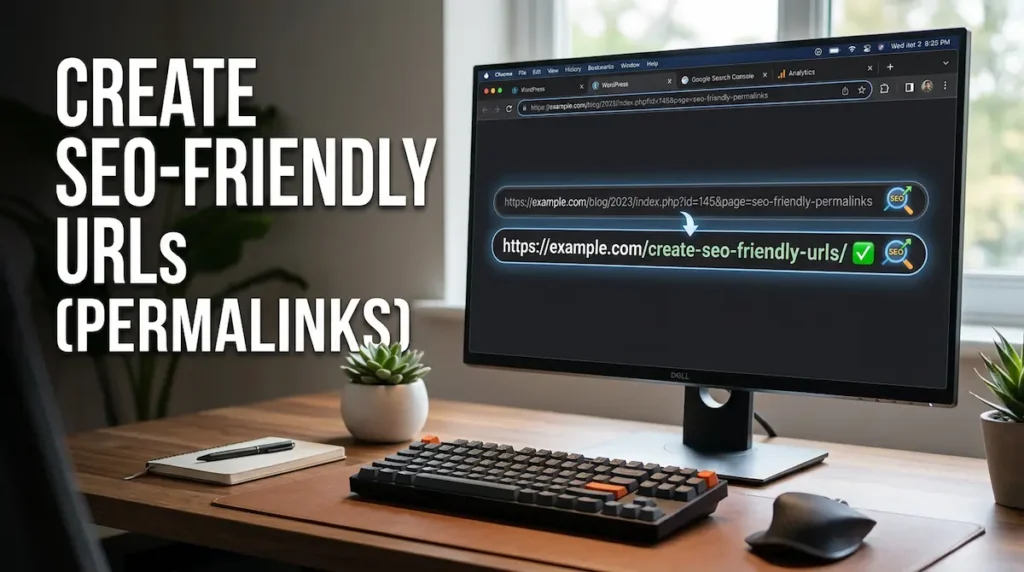
Your URL structure tells search engines and users what the page is about. Every page should have a clear, readable URL. Do not keep default URLs with numbers and query parameters.
Bad URL example: website.com/index.php?id=123&cat=5
Good URL example: website.com/seo-best-practices
WordPress users: Set permalinks to “Post name” in Settings → Permalinks.
7. Add Internal Links Between Related Pages

Internal links connect your content together and help search engines understand your site structure. Every page should link to and from other relevant pages.
Best practices for internal linking:
- Use descriptive anchor text that tells users and Google what the linked page is about
- Link from older pages to newer ones
- Ensure cornerstone content receives the most internal links
- Add relevant links naturally within the body of your content
Speed optimization also affects SEO rankings
8. Add Descriptive Alt Text to All Images
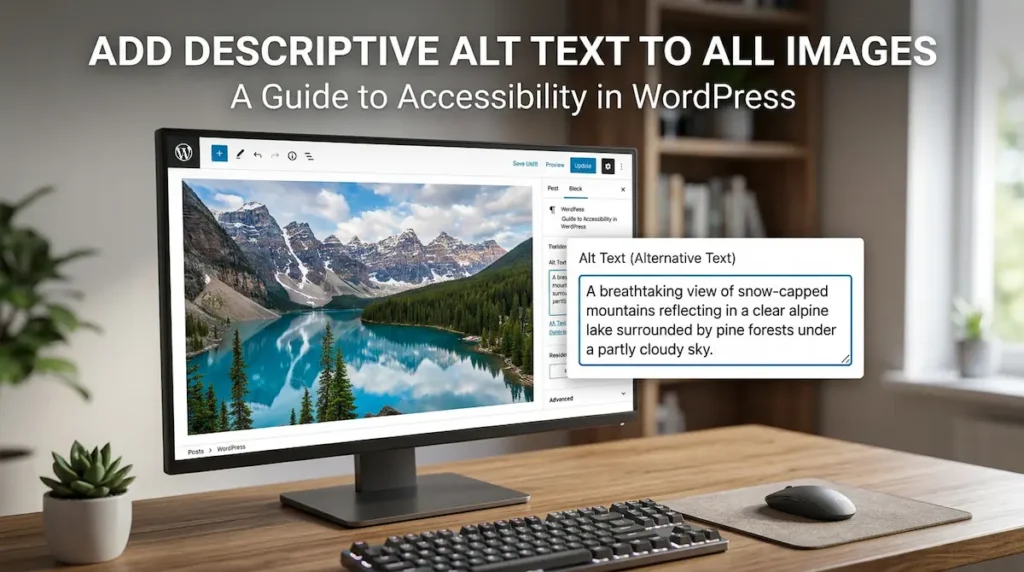
Alt text (alternative text) describes what an image shows. It helps visually impaired users and helps search engines understand your images. Images can rank in Google Image Search, which drives additional traffic to your site.
How to write good alt text:
- Briefly describe what the image shows
- Include relevant keywords naturally
- Keep it under 125 characters
- Do not stuff keywords unnaturally
Example: alt="SEO team planning content strategy around whiteboard"
9. Avoid Duplicate Content with Canonical Tags

Duplicate content confuses search engines and forces them to choose the preferred version. Common sources of duplicate content include print versions, session IDs, pagination, and similar category/tag pages.
How to fix duplicate content:
- Add
<link rel="canonical" href="https://example.com/preferred-page/">to the duplicate page - In WordPress, Rank Math automatically handles canonical tags for posts and pages
- If you are migrating from HTTP to HTTPS, set up 301 redirects
10. Configure Robots.txt and XML Sitemaps

Your robots.txt file tells search engine crawlers which pages to crawl and which to ignore. Your XML sitemap tells search engines about all the important pages on your site.
Robots.txt best practices:
- Disallow crawling of admin pages, search results, and duplicate content (e.g.,
Disallow: /wp-admin/) - Do not disallow crawling of your CSS, JS, or image files—these are needed to render your page properly
- Specify your sitemap location (e.g.,
Sitemap: https://website.com/sitemap.xml)
Sitemap best practices:
- Include only canonical pages that you want indexed
- Submit your sitemap via Google Search Console under “Sitemaps”
- For WordPress sites, Rank Math generates and maintains an up-to-date XML sitemap file automatically
Developer SEO Checklist Summary
| Practice | Priority | Time to Implement |
|---|---|---|
| Semantic HTML | High | 1-2 hours |
| Heading tag hierarchy | High | 30 minutes |
| Structured data (schema) | Medium | 2-4 hours |
| Mobile responsiveness | High | Varies |
| Core Web Vitals optimization | High | 2-6 hours |
| SEO-friendly URLs | High | 10 minutes |
| Internal linking | Medium | Ongoing |
| Image alt text | Medium | Ongoing |
| Canonical tags | Medium | 1 hour |
| Robots.txt and sitemaps | High | 30 minutes |
Host your SEO-optimized site on Cloudways
Final Thoughts
You do not need to be an SEO expert to implement these practices. Each one is a straightforward technical task that improves your site’s visibility. Start with the high-priority items: semantic HTML, proper headings, mobile responsiveness, and Core Web Vitals. Then gradually add the others over time.
Search engines reward well-built websites. As a developer, you have the skills to build sites that both users and search engines love.
Which SEO best practice has made the biggest difference for your site? Let me know in the comments below.
✍️ Want to Contribute?
WebDevToolkit accepts high-quality guest posts from web developers, SEO professionals, and digital marketers.
✅ Do-follow backlink included
✅ Published within 5 days
✅ Shared with 1,000+ monthly readers